
music player offline 7 min read
5 min read
Musiqly vs. Youtify: The Best Music App Alternative (Plus a Warning About Play Store Fakes)
musiqlyyoutifyalternativemusic playerandroidsafety
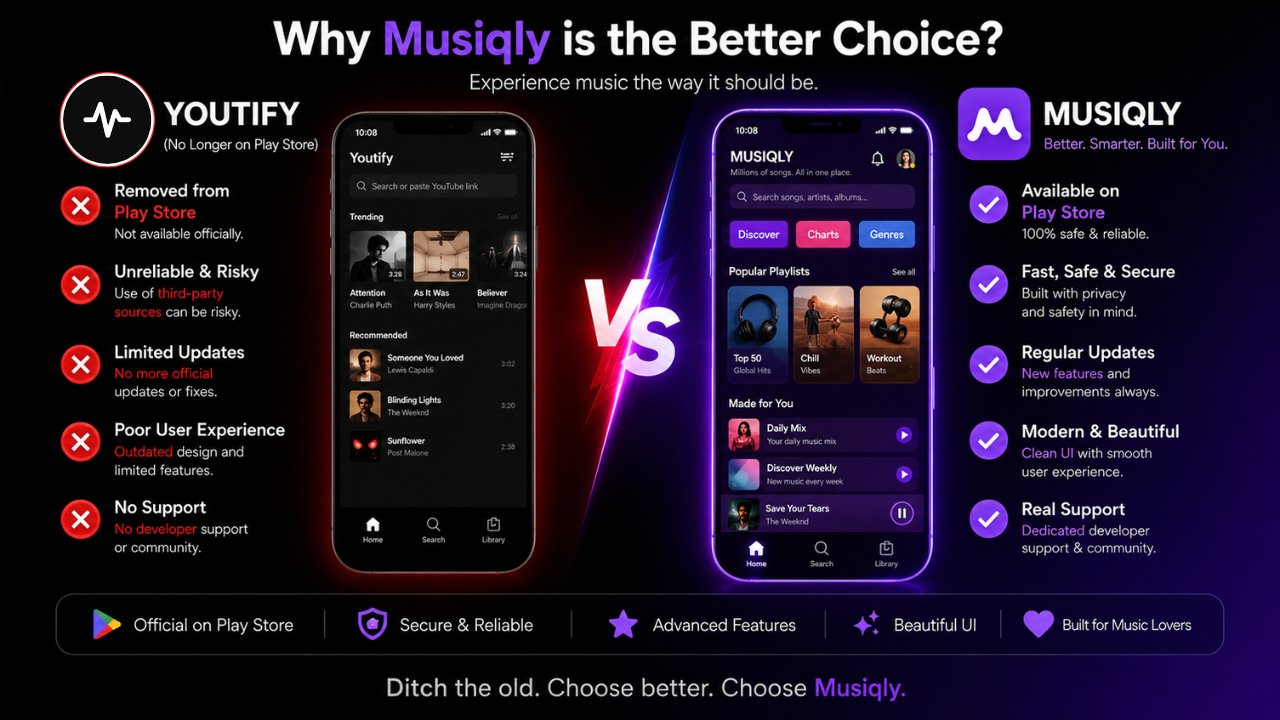
If you have been searching for a smooth, high-quality music streaming and local player app for Android, you might have noticed a sudden shift in the Google Play Store. Popular music player apps come and go, but recent changes have left thousands of listeners looking for a safe, reliable replacement.
In this detailed review and comparison, we take a close look at Musiqly, explain what happened to Youtify, and issue a critical warning for anyone looking to download music apps today.
⚠️ IMPORTANT SAFETY ALERT: Fake “Youtify” Apps on Play Store
The original Youtify app has been removed from the official Google Play Store. Because of its past popularity, bad actors have uploaded counterfeit and clone apps using the “Youtify” name. Any app currently listed on the Google Play Store under the name Youtify is fake. Downloading these unofficial clones can expose your phone to intrusive ads, spyware, or malicious background scripts. Always stick to verified, policy-compliant apps like Musiqly.
What is Musiqly?
Musiqly is a feature-rich, lightweight music player built for Android. It bridges the gap between online music discovery and offline local audio management.
Unlike many modern music apps that force you through endless sign-up screens or lock basic features behind expensive recurring subscriptions, Musiqly takes an “open and play” approach—no account creation required.
Musiqly at a Glance
- ✦Stream & Play: Stream Online & Play Local MP3s seamlessly.
- ✦Real-Time Lyrics: Synced & Static Real-Time Lyrics for singing along.
- ✦Speed Controls: Playback Speed Control (0.5x to 2.0x) for custom pacing.
- ✦Fades & Timers: Smooth Crossfade & Custom Sleep Timer for bed-time.
- ✦Zero Subscriptions: One-Time Premium Purchase (Zero Subscriptions, ever).
Feature Comparison: Musiqly vs. Youtify
While Youtify previously gathered a loyal following due to its streaming capabilities, Musiqly steps in as a superior, fully compliant, and safer long-term choice. Here is how the two match up:
| Feature | Musiqly | Youtify (Original) |
|---|---|---|
| Availability | ✅ Live on Google Play Store | ❌ Removed from Play Store |
| Account Required | ❌ No sign-up needed | ❌ No account needed |
| Local File Playback | ✅ Yes (Seamless local MP3 support) | ⚠️ Limited / Online-focused |
| Lyrics Support | ✅ Synced & static lyrics | ✅ Basic lyrics |
| Playback Speed Control | ✅ 0.5x to 2.0x speed adjustments | ❌ Standard speed only |
| Pricing Model | 🆓 Free + One-time Lifetime Pro (No subscriptions) | ⚠️ In-app purchases / Subscription options |
| Library Backup & Restore | ✅ Built-in full backup | ✅ Supported |
| Security & Safety | 🛡️ Verified & policy-compliant | ⚠️ Risk of downloading fake clones |
5 Reasons Former Youtify Users Are Switching to Musiqly
1. Zero Account Hassle
Musiqly respects your privacy and your time. You don’t need to link your Google account, verify an email, or remember another password. You install the app, open it, and hit play immediately.
2. Best-in-Class Local + Online Combo
Most apps force you to choose: either stream music or play the MP3s saved on your internal storage. Musiqly combines both smoothly. You can curate playlists that pull from your favorite local audio files alongside online discoveries.
3. Deep Audio Controls (Speed, Crossfade, & Sleep Timer)
Audiobooks, podcasts, or fast-tempo tracks often need custom playback speeds. Musiqly lets you dial in speeds from 0.5x all the way to 2.0x. Paired with smooth crossfading between songs and a sleep timer, it covers night-time listeners and workout enthusiasts alike.
4. Synced Lyrics
Want to sing along? Musiqly offers real-time synced lyrics that scroll with the song, as well as static lyrics for offline or quick reading.
5. Fair Pricing: Say Goodbye to Subscriptions
Streaming services often drain your wallet with monthly fees. Musiqly is completely free to use. For users who want an entirely ad-free experience with enhanced audio output, Musiqly offers a one-time lifetime upgrade. Pay once, keep it forever.
How to Safe-Switch to Musiqly Today
If you recently deleted Youtify or are looking for a reliable Android music player, follow these simple steps to transition safely:
- Avoid searching for Youtify APKs or Play Store clones. Unofficial APK downloads and imposter apps carry severe security risks.
- Download Musiqly directly from the official Google Play Store link: Musiqly on Google Play Store.
- Grant local audio permissions when prompted if you want Musiqly to auto-detect the music files saved on your device.
- Create your playlists or use Radio / Autoplay Mode to discover fresh tracks based on your listening habits.
Final Verdict
While it is frustrating when popular apps get pulled from store listings, finding a solid replacement shouldn’t feel like a gamble. Musiqly isn’t just a safety net for former Youtify listeners—it is a feature-packed upgrade with cleaner navigation, synced lyrics, local file support, and flexible audio controls.
👉 Ready to upgrade your music experience? Download Musiqly on Google Play Store today and enjoy uninterrupted listening.
Related: Musiqly vs Other Music Players: A Practical Comparison | Best Offline Music Player for Android
SK
Sahil Khan
Developer at Musiqly
Sahil is the developer behind Musiqly. He's passionate about creating beautiful, feature-rich apps that enhance the way people experience music on Android.