
musiqly comparison 8 min read
6 min read
How to Improve Audio Quality on Android
audio qualityandroidequalizertips
Audio quality on Android depends on four things: your source file, your playback software, your headphones, and your device’s DAC. Here’s how to optimize each one.
Start With the Source File
The most important rule: you can’t fix bad source material. A 128kbps MP3 will always sound compressed and muffled no matter what you do.
What I use for my personal collection:
| Format | Use Case |
|---|---|
| FLAC (16-bit/44.1kHz) | Permanent archive, home listening |
| AAC 256kbps | Phone storage, commuting |
| MP3 320kbps | Compatibility with older devices |
FLAC files are 5-10MB per minute, so they add up fast. I keep FLAC for albums I love and AAC for casual listening.
Configure Your Player Properly
A good music player matters more than most people think. The default Android audio mixer resamples everything to 48kHz, which can degrade quality if your source is 44.1kHz (which most music is).
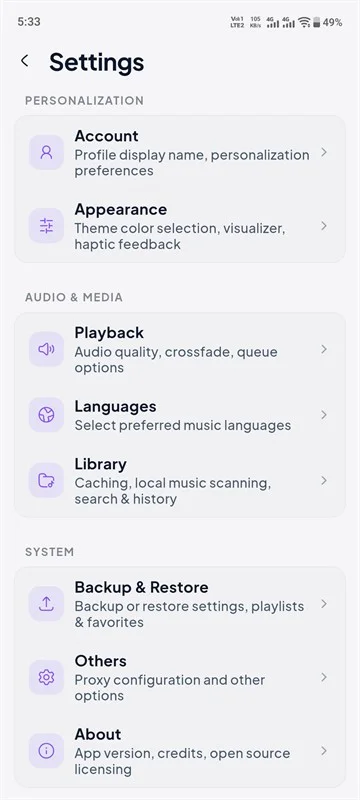
Musiqly has a “direct output” mode that bypasses Android’s audio processing chain. This matters most when:
- Playing high-resolution files (24-bit/96kHz)
- Using an external USB DAC
- Listening through wired headphones
Equalizer Settings That Actually Work
I’ve tested dozens of EQ presets across many headphone pairs. Here are the ones that consistently sound good:
For most pop/rock music:
- Leave the EQ flat (all bands at 0dB)
- Only cut frequencies that sound harsh, don’t boost
For bass-heavy music (EDM, hip-hop):
- Boost 62Hz by +3dB
- Boost 125Hz by +2dB
- Leave everything else flat
- Reduce pre-amp by -2dB to prevent clipping
For podcasts and audiobooks:
- Cut 62Hz and 125Hz by -4dB (reduces rumble)
- Boost 2kHz-4kHz by +3dB (improves vocal clarity)
The key insight I learned while building Musiqly’s EQ: cutting is better than boosting. Boosting increases noise floor and can cause distortion. Cut the frequencies you don’t want instead.
Invest in Good Headphones
This matters more than any software setting. A $100 pair of IEMs (in-ear monitors) with a $9 Apple USB-C dongle will sound better than $500 headphones running through a phone’s built-in headphone jack.
Budget options that sound great:
- 7Hz Zero 2 (~$25) — Amazing for the price
- Moondrop Chu II (~$20) — Balanced sound signature
- Truthear Hola (~$35) — Warm, easy listening
If you’re using wireless earbuds, enable LDAC in Android’s developer options. It’s the highest quality Bluetooth codec available. Go to Settings → Developer Options → Bluetooth Audio Codec → LDAC.
Turn Off Android’s Audio Processing
Many Android phones ship with audio “enhancements” enabled by default that actually degrade quality:
- Dolby Atmos — Adds spatial processing that smears stereo imaging
- Adaptive Sound — Adjusts EQ based on your environment
- Volume Leveler — Compresses dynamic range
Turn all of these off in your device’s sound settings. They’re fine for phone speakers and cheap earbuds, but they reduce quality with good headphones.
FAQ
Does Bluetooth reduce audio quality?
Yes. All Bluetooth audio uses lossy compression. LDAC at 990kbps comes closest to wired quality. For critical listening, use wired headphones or a USB DAC.
What sample rate should I use?
Most music is 44.1kHz. Set your player to output at the file’s native sample rate rather than resampling. Musiqly’s direct output mode does this automatically.
Can I use a USB DAC with Musiqly?
Yes. Musiqly supports USB DAC output on Android. Connect the DAC, go to Settings → Audio → High-Resolution Output, and enable it.
Does a 10-band EQ really sound better than 5-band?
Yes, because it gives you control over narrower frequency ranges. A 5-band EQ adjusts broad swaths of the spectrum, which can affect frequencies you didn’t intend to change.
What’s the best audio format for Android?
AAC 256kbps offers the best balance of quality and file size. FLAC for archival. MP3 320kbps for maximum compatibility.
Related: Top Music Player Features Every User Needs | Musiqly vs Other Music Players
SK
Sahil Khan
Developer at Musiqly
Sahil is the developer behind Musiqly. He's passionate about creating beautiful, feature-rich apps that enhance the way people experience music on Android.