
musiqly comparison 8 min read
7 min read
Top Music Player Features Every User Needs
music playerfeaturesandroidguide

After two years of building Musiqly, I’ve implemented a lot of features. Some made a real difference. Others I would have skipped. Here’s what actually matters in a music player.
1. A Good Equalizer
Not all equalizers are created equal. A 5-band EQ covers the basics (bass, mids, treble). A 10-band EQ gives you fine control over specific frequencies. The difference matters when you’re using high-quality headphones.
What to look for:
- Pre-amp gain to prevent distortion when boosting frequencies
- Custom presets that save across sessions
- Visual feedback (a spectrum analyzer shows what’s happening)
Musiqly’s EQ has 12 presets plus custom slots. The 10 bands cover 31Hz to 16kHz with adjustable gain. Settings persist in SharedPreferences — your custom EQ survives app restarts and device reboots.
2. Synced Lyrics
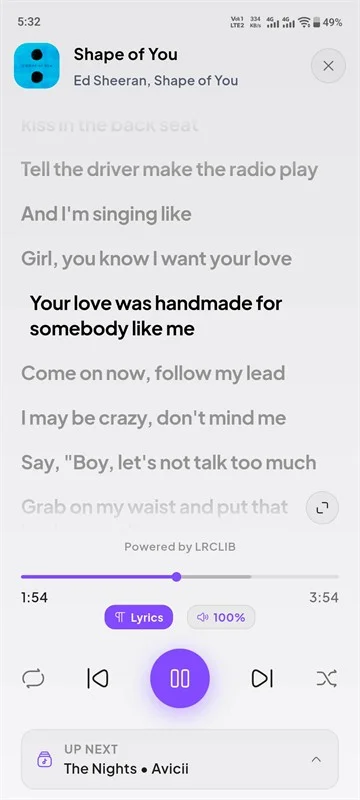
This was the most requested feature during our beta. Reading lyrics that scroll in real-time with the music changes how you experience songs. I use it constantly for learning new tracks.
Most players only support static lyrics (the whole text at once). Synced lyrics require timed metadata (LRC format) that maps each line to a timestamp. Musiqly fetches synced lyrics from LRCLIB and falls back to YouTube Music’s static lyrics when timed data isn’t available.
3. Gapless Playback
If you listen to live albums, classical music, or electronic mixes, you need gapless playback. Without it, there’s a 500ms-1s gap between tracks that breaks the flow.
Musiqly uses ExoPlayer’s native gapless transition engine. We removed manual pause calls between tracks specifically to let the native engine handle transitions smoothly.
4. Sleep Timer
Falling asleep to music and waking up with your phone at 2% battery is a familiar pain. A sleep timer that fades out and pauses playback solves this.
Musiqly’s timer offers 15/30/45/60 minute options plus “end of current song.” When it triggers, playback pauses and the notification dismisses. The wake lock is also released so your phone can sleep properly.
5. Notification Controls
A music player without notification controls is unusable on Android — you’d have to open the app every time you want to skip a track. Basic controls (play/pause, next, previous) should be standard.
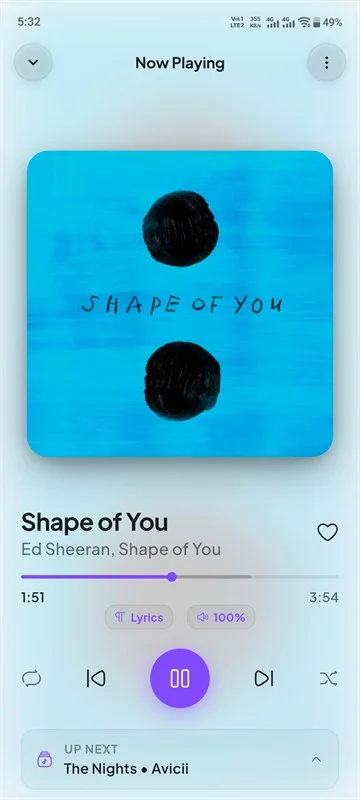
Musiqly adds a like/unlike button in the notification and lock screen controls with album art. The notification also shows the seekbar for quick scrubbing. On Android 13+, we request notification permission at first launch so controls work reliably.
6. Crossfade
Crossfade smoothly transitions between songs by overlapping the end of one track with the start of the next. It’s not for everyone — classical and jazz listeners usually hate it. But for pop, electronic, and party playlists, it creates a radio-like flow.
Musiqly’s crossfade is duration-adjustable (1s, 2s, 3s, 5s, 8s) and only activates on natural track endings — manual skips stay instant at full volume.
Features That Sound Good But Aren’t Essential
- 10,000+ format support — You realistically only need MP3, FLAC, AAC, and WAV. Everything else is edge case.
- Built-in ringtone maker — Everyone uses dedicated apps for this.
- Social sharing — Very few people share what they’re listening to from a music player.
- Cloud sync — Adds complexity and subscription costs. Local backup is simpler and more reliable.
FAQ
Does every music player need an equalizer?
Not necessarily. If you listen through basic earbuds, the difference is minimal. With good headphones ($50+), a 10-band EQ makes a noticeable difference.
What’s the difference between synced and static lyrics?
Synced lyrics scroll automatically with the music. Static lyrics show the entire text — you have to manually follow along.
Is crossfade bad for audio quality?
No. Crossfade is a volume fade, not a quality reduction. It doesn’t affect the audio bitrate or resolution.
How does the sleep timer save battery?
When the timer triggers, the player pauses and releases the system wake lock. This lets the device enter deep sleep mode, saving battery overnight.
Related: How to Improve Audio Quality on Android | Musiqly vs Other Music Players
SK
Sahil Khan
Developer at Musiqly
Sahil is the developer behind Musiqly. He's passionate about creating beautiful, feature-rich apps that enhance the way people experience music on Android.